What does a stale locator mean?
It means customers — and crawlers, if the locator exposes HTML links — still see a network that is not the live one: closed shops, missing new shops, or last year’s hours.
The widget can look modern and still be wrong. The failure is the source of truth, not the map style.
Is this the same as a locator Google cannot crawl?
No. Crawlability is whether Googlebot can find ordinary HTML links to location URLs.
A locator can be fully crawlable and still list a shop that shut in March. Diagnose crawl blocks on why Google cannot crawl a store locator or location finder. Both problems can exist together.
CMS
Is the locator reading a stale spreadsheet or PIM? Fix the source. Do not only hide the pin on a map widget.Shut
Does a closed shop still appear as open? Mark it closed in data, then follow the closure playbook for Maps and the URL.New
Is a live shop missing from the list? Add the row, the location URL and internal links.Yes
Publish current open locations only Hours and addresses must match that site, not headquarters.Next
If Googlebot never sees links, stop here That is crawlability, not stale content.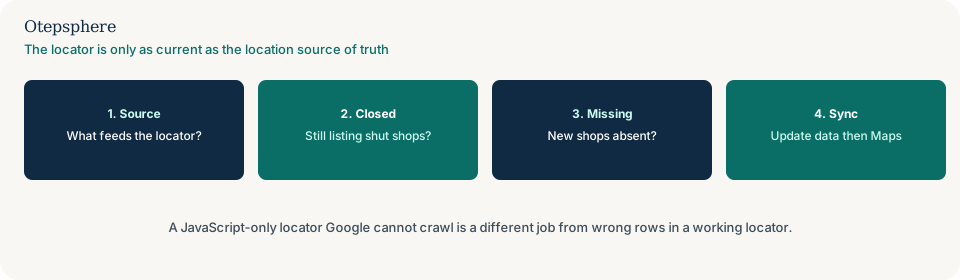
Is this the same as closing a location?
No. Closing a location is the Maps status, page and remaining-branch sequence. This page is the locator that was never updated after that work — or that still shows a shop you have not closed properly.
Follow how to close one business location without harming the rest for the profile and URL. Then remove or mark the row in the locator source.
Where should the location data live?
In one owner-controlled list: CMS location records, a product information feed, or a spreadsheet that actually publishes — not three copies that drift.
Hours and services on the location URL must match that record. Templates that inherit headquarters hours are a related CMS problem: why shared location templates show the wrong services or hours.
What should stay in sync with Maps?
Name, address, phone, hours and whether the shop is open — on the locator, the location URL and the Business Profile.
Google’s representation guidelines require accurate public facts for the location you claim. A locator that still invites visits to a permanently closed shop is a customer-trust failure even if Maps is already marked closed. Source: Guidelines for representing your business on Google. A new shop on Maps with no website row is why a new location is on Google but missing from the company website. A correct locator row that still opens the wrong calendar or a copied map embed is why the booking system sends customers to the wrong business location or why the map on the website sends customers to the wrong place.
Locator-data decision table
| What you see | What it usually means | Decision | What not to assume |
|---|---|---|---|
| Closed shop still listed as open | Stale row | Update the source; complete the closure sequence if Maps is still open | That hiding the map pin is enough |
| New shop live on Maps, absent from the locator | Publish lag | Add the row, location URL and internal links, then point the profile | That Maps listing automatically updates the website |
| No HTML hrefs to location URLs | Crawlability | Expose crawlable links; still fix stale rows | That a pretty map widget is a locator Google can use |
| Hours on the locator differ from the location page | Two sources | Bind both to one record | That Google will average the two |
What should I not do?
Action checklist
- Export what the locator currently shows. Compare to a list of genuinely open locations.
- Identify the publishing source. Fix closed, missing and wrong-hours rows there.
- Check whether location URLs are linked in HTML. If not, add crawlable links.
- Align Business Profile status and website field with the same list.
- If a shop has closed, follow the closure sequence, not only the locator row.
- Re-check the public locator and a sample of location URLs the same day.
When professional help makes sense
Help is useful when several systems publish locations (CMS, store platform, ads) and none is clearly the owner. It cannot make Google recrawl on a timetable, and it cannot hide a shop that is still marked open on Maps.
Sources and further reading
- Google Business Profile Help: Guidelines for representing your business on Google
- Google Search Central: Understand JavaScript SEO basics
The store locator still listing the wrong shops?
Otepsphere can help identify the location source of truth and align the locator with Maps — without treating stale rows as a ranking bug.
Contact OtepspherePublished by Otepsphere
Published by Otepsphere, founded by Joseph Enmanuel. Learn about Otepsphere and its approach to local SEO.