What does a wrong-shop booking mean?
It means the book button on a location page or listing opens another premises’ calendar, so the customer arrives at the wrong shop or is cancelled.
Typical pattern: the High Street page’s widget still uses the retail-park location ID, or every page inherits the first calendar in the CMS. The job is the scheduler binding, not a new Google listing.
Is this review-request routing?
No. That guide is which Google listing opens when you ask for a review after a visit.
Use why customers are sent to the wrong location when asked for a review for QR codes and review URLs. Stay here when the appointment itself is booked at the wrong shop.
Is this a stale store locator?
Only if the customer picked a shop from a locator that still lists closed or moved premises, and then booked from that row.
Diagnose outdated locator data on why the store locator still shows closed or moved locations. A correct locator row that still opens the wrong calendar is this page.
Book
Which shop does the widget open? Open the live page on a phone. Note the premises name on the first screen.Bind
Is this URL tied to that calendar? A shared snippet with a default location ID will book the wrong shop.Default
Did the template inherit headquarters? A CMS fallback to the first location is a data-binding error.Sibling
Review-request QRs are a different route Use the review-routing guide if the wrong Google listing opens after a visit.Next
Do not create a second Business Profile Correct the widget. A second listing will not reroute the calendar.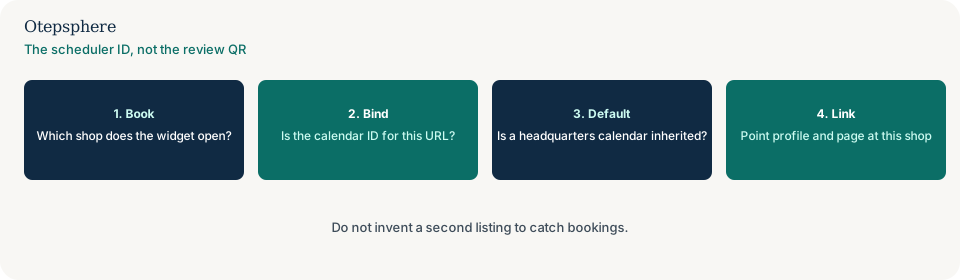
How should each page bind the calendar?
Each location URL and each Profile booking link should pass that shop’s location ID, not a default or shared calendar.
Google’s representation guidelines still require accurate public information for the premises you claim. Source: Guidelines for representing your business on Google. A booking widget is not a ranking factor. It is the path customers use to arrive.
What about the Profile booking link?
If the listing’s appointment URL is a brand-wide scheduler with a default shop, Maps will send people to the same wrong calendar.
Profile buttons that 404 or ignore the field are why Google Business Profile website and action links are not working. A button that works and still opens the other branch is a binding error on this page.
Booking-routing decision table
| What you see | What it usually means | Decision | What not to assume |
|---|---|---|---|
| Location A page books Location B | Shared snippet or inherited ID | Bind this URL to A’s calendar | That a second listing will reroute the widget |
| Locator lists a closed shop | Stale location data | Use the outdated-locator guide | That this booking page updates the locator feed |
| Review QR opens the other listing | Review-request routing | Use the review-routing guide | That the calendar ID is the review URL |
| Profile book button 404s | Broken listing field | Use the Profile links guide | That the website widget is the listing URL |
What should I not do?
Action checklist
- Start a booking from each live location URL. Record the shop name on screen one.
- Replace inherited default IDs with that shop’s calendar.
- Point the Profile appointment URL at the same shop.
- If the locator itself is stale, switch guides.
- If only the review QR is wrong, switch guides.
- Do not invent a second listing.
When professional help makes sense
Help is useful when a franchise CMS injects one vendor snippet on every page. It cannot force a booking platform to support per-location IDs, and it cannot promise more appointments from a corrected bind.
Sources and further reading
- Google Business Profile Help: Guidelines for representing your business on Google
- Google Search Central: Creating helpful, reliable, people-first content
The book button still opening the other branch?
Otepsphere can check how each URL binds the calendar — without inventing a second listing to catch bookings.
Contact OtepspherePublished by Otepsphere
Published by Otepsphere, founded by Joseph Enmanuel. Learn about Otepsphere and its approach to local SEO.