What does a wrong website map mean?
It means the map embed on your location page sends directions to coordinates or a place that are not this shop.
Typical pattern: last year’s unit, a copied iframe from the first location in the template, or a place ID for a namesake down the road. Customers follow your page and arrive at the wrong entrance. The job is the iframe you published.
Is this Google’s listing pin?
No. That guide is the pin on the public Google Maps listing for the Business Profile.
Use why the Google Maps pin is in the wrong place when Search or Maps itself is wrong. Stay here when your site’s embed is the asset that points elsewhere — even if the listing pin is correct.
Is this the store locator data?
Only if customers pick a shop from a locator that still holds closed or moved rows, and the map on that result is stale.
Diagnose the feed on why the store locator still shows closed or moved locations. A single location page with a hard-coded wrong iframe is this page.
Embed
Where does your page’s map go? Open directions from the iframe. That destination is what customers get.Coords
Are the coordinates or place ID current? A move or a new unit number often leaves last year’s embed in the template.Copy
Was the snippet reused from another shop? Multi-location templates copy the first embed unless each record has its own.Sibling
A misplaced Maps pin is different Use the wrong-pin guide if Google’s public listing is in the wrong place.Next
Replace the embed; do not invent a listing Your iframe is a page asset. The listing pin is Google’s map.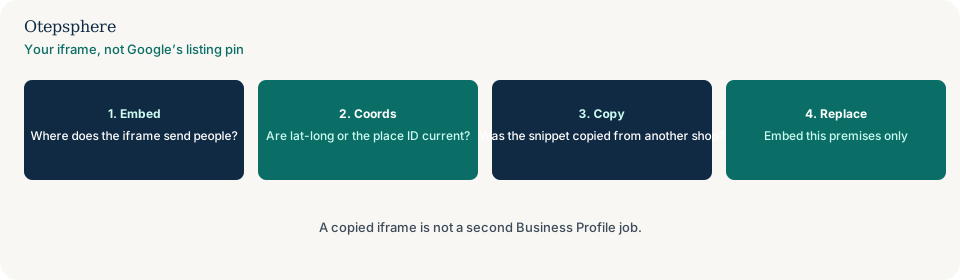
How should the embed be built?
Use this premises’ current place or coordinates in the embed URL, and store that value on the location record so the template cannot reuse another shop’s snippet.
Google’s Maps Embed documentation is how the iframe is constructed. Source: Google Maps Embed API: get started. Representation guidelines still require accurate public information. Source: Guidelines for representing your business on Google. A correct embed is not a ranking tactic.
Is the book button also wrong?
Check it. A template that copies one map often copies one calendar ID as well.
If the scheduler opens the other shop, use why the booking system sends customers to the wrong business location. Fix each asset on its own. Replacing the map will not rebind the widget.
Website-map decision table
| What you see | What it usually means | Decision | What not to assume |
|---|---|---|---|
| Iframe directions go to last year’s unit | Stale coordinates or place ID | Replace the embed from this shop’s record | That Google’s listing pin moved your iframe |
| Every location page shows the same map | Copied snippet in the template | Bind each record to its own embed | That one map is better for SEO |
| Maps listing pin is in the river | Google’s public pin | Use the wrong-pin guide | That editing the iframe moves the listing |
| Locator still lists a closed shop | Stale location feed | Use the outdated-locator guide | That this embed page updates the locator |
What should I not do?
Action checklist
- Open directions from each location page’s iframe.
- Compare the destination with the premises you operate today.
- Replace copied snippets with this shop’s place or coordinates.
- If Google’s listing pin is wrong, switch guides.
- If the locator feed is stale, switch guides.
- Do not invent a second listing to fix an iframe.
When professional help makes sense
Help is useful when a multi-location theme hard-codes one embed. It cannot move Google’s public pin by editing your iframe, and it cannot promise rankings from a corrected map.
Sources and further reading
- Google Maps Platform: Embed API get started
- Google Business Profile Help: Guidelines for representing your business on Google
The site map still sending people to the wrong entrance?
Otepsphere can replace copied embeds with this shop’s coordinates — without treating a map as a ranking lever.
Contact OtepspherePublished by Otepsphere
Published by Otepsphere, founded by Joseph Enmanuel. Learn about Otepsphere and its approach to local SEO.