What does “not indexed” actually mean?
Not indexed means Google has not stored that URL as a document it can serve in Search. The page can still be live for customers.
That is the opposite symptom from an indexed service page that does not rank. If Inspection already says indexed, use why a service page is indexed but not ranking for the service instead. Google does not guarantee indexing. Source: How Search works.
Question
Is the page in the index? URL Inspection and the Pages report answer this. A site: search is not enough.Path
Discovered → crawled → eligible Google has to find the URL, fetch it, and be allowed to store it.Stop
Blocked or excluded robots.txt, noindex, login, 404, redirect or canonical to another URL can keep it out.Duplicate
Another URL represents it Alternate page with proper canonical is a different job from “Google never saw this page.”Fix
Match the reported reason Do not rewrite the service copy first if the URL is blocked or undiscovered.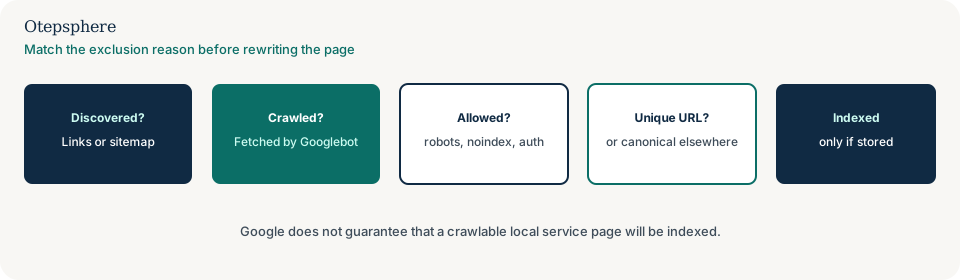
Why can it happen?
Google has to discover the URL, crawl it, and be allowed to store it. Local service pages fail that path when they are orphaned, blocked, redirected, canonicalised away, or too new for Google to have fetched yet.
New pages often take several days at a minimum to be noticed; most sites should not expect same-day crawling. Availability problems, robots rules and low crawl priority can delay that further. Source: Troubleshoot Google Search crawling errors.
How do I confirm the cause?
Use URL Inspection on the precise address, including https, host and trailing slash.
Record: crawled or not, indexed or not, user-declared versus Google-selected canonical, referring page if shown, and the Pages report grouping (for example Discovered — currently not indexed, Crawled — currently not indexed, Excluded by ‘noindex’, Blocked by robots.txt, Alternate page with proper canonical). Fix the reason you see, not a guessed one.
Search Console reason matching
| Reported situation | What it usually means | Safe first check | Wrong first move |
|---|---|---|---|
| Discovered — currently not indexed | Google knows the URL but has not crawled it yet, or has deprioritised it | Confirm crawlable links, server health and that the page is worth fetching | Submitting the same sitemap repeatedly the same day |
| Crawled — currently not indexed | Fetched, not stored — often quality, duplication or low demand | Compare with stronger service URLs; check thin or duplicate templates | Assuming a penalty without evidence |
| Blocked by robots.txt | Googlebot is not allowed to fetch the path | Test the URL in robots.txt testers; allow the service path if it should be public | Adding noindex while the URL is still disallowed |
| Excluded by noindex | Google saw a noindex tag or header | View source and HTTP headers; remove leftover staging or plugin rules | Password-protecting the live service page |
| Alternate page with proper canonical | Another URL is the representative version | Decide whether that canonical is correct; this is not “never crawled” | Deleting the canonical tag as the first step |
| Page with redirect | Google is following a redirect instead of indexing this URL | Confirm the destination is the intended service or location page | Requesting indexing on the old address |
Has Google discovered the URL?
If nothing on the public web links to the service page with a crawlable href, Google may not know it exists.
Google can generally extract links from HTML anchor elements with an href attribute, not from click-only scripted controls. Link the service page from the relevant location hub, navigation or a related service. See internal linking for Local SEO and link best practices.
Is something blocking crawl or indexing?
Yes. robots.txt, noindex, authentication, accidental staging headers and client-side apps that never return useful HTML are common on local sites after a CMS or plugin change.
Google has to crawl a page to see a noindex rule. If robots.txt blocks the URL, Google may not see the tag. Password protection prevents fetching altogether. Sources: Block indexing with noindex and Introduction to robots.txt.
Is another URL standing in for it?
If Google selected a different canonical, the service page may be clustered with a homepage, parameter URL or location page.
Parameter copies and filter URLs are covered in why filter and parameter URLs create duplicate local pages. Location canonical clusters are covered in why Google chose a different canonical for a location page.
Will adding it to the sitemap fix this?
Not by itself. A sitemap can help discovery. Google does not guarantee that it will crawl sitemap URLs, crawl them immediately, or index them.
If location or service URLs are missing from the file Google actually fetches, fix that separately: why location pages are missing from the XML sitemap. Source: Build and submit a sitemap.
What should I not do?
Action checklist
- Inspect the exact URL. Save the index reason and canonical.
- Confirm HTTP status 200 on the intended live URL, with no leftover noindex.
- Allow Googlebot to crawl the path if the page should be public.
- Add at least one crawlable internal link with descriptive anchor text.
- Include the canonical URL in the sitemap Google processes, if you use sitemaps.
- Request a recrawl after fixes. Wait for processing; do not expect same-day indexing.
When professional help makes sense
Help is useful when a CMS or security plugin is injecting noindex, when hundreds of service-location URLs are undiscovered, or when robots, canonicals and redirects disagree. Nobody can promise Google will index the page.
Sources and further reading
- Google Search Central: How Search works
- Google Search Central: Troubleshoot crawling errors
- Google Search Central: Block indexing with noindex
- Google Search Central: Introduction to robots.txt
- Google Search Central: Link best practices
- Google Search Central: Build and submit a sitemap
Local service pages still missing from the index after a crawl check?
Otepsphere can match the Search Console reason to robots rules, canonicals, internal links and CMS output so the page has a fair chance of being fetched — without treating indexing as a guaranteed outcome.
Contact OtepspherePublished by Otepsphere
Published by Otepsphere, founded by Joseph Enmanuel. Learn about Otepsphere and its approach to local SEO.