What does an overwrite mean?
It means a vendor update replaced the file or plugin setting that held your titles, canonicals, noindex rules or redirects, so the live HTML no longer matches the record you thought you had.
Typical pattern: a theme or SEO plugin updates on Tuesday; Wednesday the location title is the default template string again, a canonical points at the homepage, or a noindex you had removed is back. The job is settings ownership after an update, not a new information architecture.
Is this a website redesign?
No. A redesign is a planned new site, new templates and usually a URL or content migration.
Diagnose a launch on what to do after a website redesign. Stay here when the same site is still live and a CMS or plugin update reverted SEO fields.
Did the template also drop structured data?
Check it, but treat it as a sibling if JSON-LD is the only thing missing.
Use why LocalBusiness structured data disappeared after a template update when the theme dropped markup. Stay here when titles, robots or redirects are the fields that came back wrong.
Field
Where did the title or canonical live? Theme file, SEO plugin, or a hardcoded template.Update
What vendor update shipped last? Plugin, theme, or CMS core can replace those files.Live
Does the HTML still match the record? View source for title, robots and canonical.Sibling
A full redesign is a different job Use the redesign guide if the whole site moved.Next
Do not treat the plugin as a rank switch Keep SEO fields in a record you control.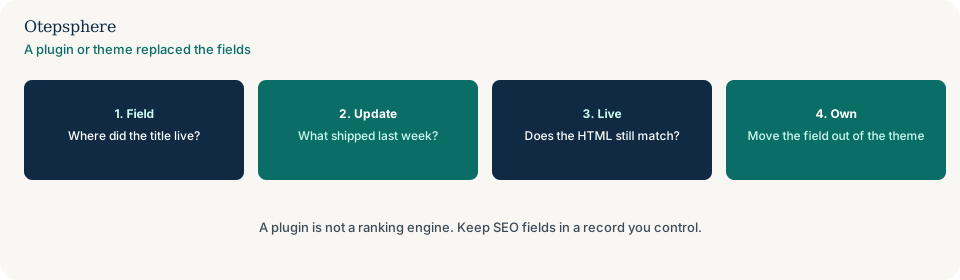
Which fields get replaced?
Title tags, meta descriptions, canonical link elements, robots meta or headers, XML sitemap settings, and redirect rules stored in a plugin rather than in the server config.
Google’s starter guide still expects a usable title and a crawlable page. Source: SEO starter guide. That is not a promise that restoring a plugin field raises rankings. Do not treat the plugin as a ranking engine.
Where should SEO fields live?
In a record you control: a child theme, a custom plugin you maintain, or CMS fields that survive a parent-theme update.
After every vendor update, view source on two location URLs and compare title, canonical and robots with last week’s export. If nobody kept that export, you also need a backup before large website or profile changes.
Overwrite decision table
| What you see | What it usually means | Decision | What not to assume |
|---|---|---|---|
| Plugin updated; title is the theme default | The field lived in a file the update replaced | Restore the field; move it out of the parent theme | That the plugin ranks the page |
| Whole site, new templates, new IA | A redesign | Use the redesign guide | That a plugin patch is a migration |
| JSON-LD gone; titles still correct | Template markup dropped | Use the schema-disappeared guide | That missing schema is a ranking switch |
| noindex back on location URLs | A robots setting reverted | Remove it from the live HTML; lock the setting | That Google “turned indexing off” |
What should I not do?
Action checklist
- View source on two location URLs for title, canonical and robots.
- Note the last theme, plugin or CMS update.
- Restore the intended fields from a backup or last known-good export.
- Move those fields into a record that survives parent-theme updates.
- If the whole site was replaced, switch to the redesign guide.
- If only JSON-LD vanished, switch to the schema guide.
When professional help makes sense
Help is useful when several plugins and a child theme all write title and robots. It cannot promise that restoring a field raises rankings.
Sources and further reading
A plugin update wiped titles or canonicals?
Otepsphere can find where SEO fields live and stop the next update replacing them — without treating a plugin as a ranking engine.
Contact OtepspherePublished by Otepsphere
Published by Otepsphere, founded by Joseph Enmanuel. Learn about Otepsphere and its approach to local SEO.