What is a website change log for Local SEO?
It is a dated record of what shipped on the site — URLs, titles, redirects, templates, plugins — so a later crawl, ranking or lead shift can be lined up with a real change.
Typical pattern: Maps or Search Console moves; the developer says “we only changed a banner”; nobody has the release date for the nav, the canonical or the location template. The job is site history, not a ranking tactic.
Is this Business Profile change monitoring?
No. That guide watches listing fields Google or users may edit.
Diagnose listing edits on how to monitor Google Business Profile changes. Stay here for what shipped on the website you control.
Is this the same as unused recommendations?
Related. A change log tells you what went live. Unused recommendations are items that never did.
Use what happens when Local SEO recommendations never get implemented when the list never shipped. Stay here when you need a history of what did.
What
URL, title, redirect or template? Log the field that actually shipped.When
Date and who released it? A vague “sometime last month” is not a log.Why
Ticket, plugin update or copy request? Cause sits next to the date.Sibling
Profile edits are a different log Use the Business Profile monitoring guide for listing fields.Next
Do not treat the log as a rank factor Use it to explain a crawl or lead shift.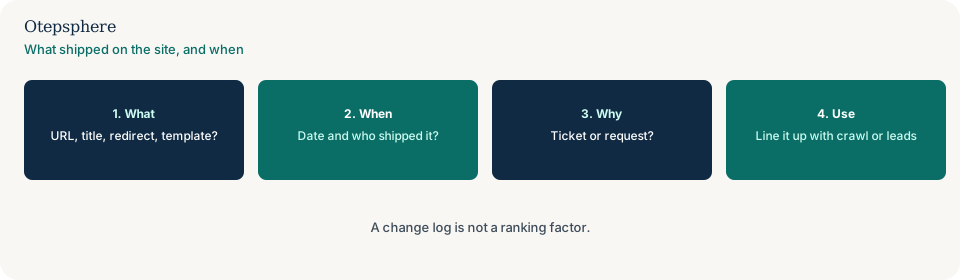
What belongs in the log?
Date, who shipped it, the URL or template, the field (title, redirect, nav, plugin, noindex), and a pointer to the ticket or request.
Google’s starter guide still expects you to understand how your site is organised. Source: SEO starter guide. A log is not a ranking factor. Do not invent a “change-log score.”
How do you use it after a drop?
Put the drop date next to the log. If a deploy removed location links or a plugin overwrite landed that week, you have a cause to test — not a penalty story.
Sibling jobs after you find the release: a deployment that removed internal links and a CMS update that overwrote SEO fields.
Change-log decision table
| What you see | What it usually means | Decision | What not to assume |
|---|---|---|---|
| Lead or crawl shift; no release note | Site history is missing | Start a dated log from the next change | That the log is a ranking factor |
| Listing hours changed; site unchanged | Profile monitoring | Use the GBP change-monitoring guide | That a website log captures listing edits |
| Audit items never shipped | Implementation gap | Use the recommendations guide | That a blank log means the audit ran |
| Nav shipped last Tuesday | A testable cause | Compare that release with the crawl | That every shift is a Google update |
What should I not do?
Action checklist
- Create a shared log with date, URL or template, field and owner.
- Record the next plugin update, nav change and redirect as they ship.
- After a crawl or lead shift, line the date up with the log.
- If the listing changed, switch to profile monitoring.
- If the list never shipped, switch to unused recommendations.
- Keep the log boring and factual.
When professional help makes sense
Help is useful when several vendors ship to production and nobody shares a log. It cannot promise that starting a log will restore traffic.
Sources and further reading
Nobody can say what changed on the site?
Otepsphere can put a dated website change log next to crawl and lead data — without treating the log as a ranking factor.
Contact OtepspherePublished by Otepsphere
Published by Otepsphere, founded by Joseph Enmanuel. Learn about Otepsphere and its approach to local SEO.