What does disappeared markup mean?
It means the previous theme or plugin output LocalBusiness JSON-LD (or equivalent HTML) and the new template no longer prints that block, or prints nothing that a tester can parse.
Typical pattern: a theme update; Rich Results or view-source no longer shows LocalBusiness; visible NAP on the page may still be correct. The job is template output, not a claim that schema ranks the Maps listing.
Is this the wrong business in the markup?
Only if markup is still present and names a different brand, address or entity.
Diagnose that on why the wrong business shows for a brand search. Stay here when the block is gone after a template change.
Is this copy that conflicts with the listing?
Related when visible hours or services on the page disagree with the Business Profile — that can happen with or without JSON-LD.
Use when AI-generated copy conflicts with official business information for conflicting on-page facts. Stay here for missing structured data after a theme update.
Was
Did the previous theme output JSON-LD? Save a copy of the old HTML if you still have it.Now
Is LocalBusiness still in the live HTML? View source or the Rich Results test.Match
Does remaining markup match the page? Hours and address must match visible copy.Sibling
Wrong entity markup is different Use the brand-search guide if the markup names the wrong business.Next
Do not treat schema as a rank switch Restore accurate LocalBusiness markup only.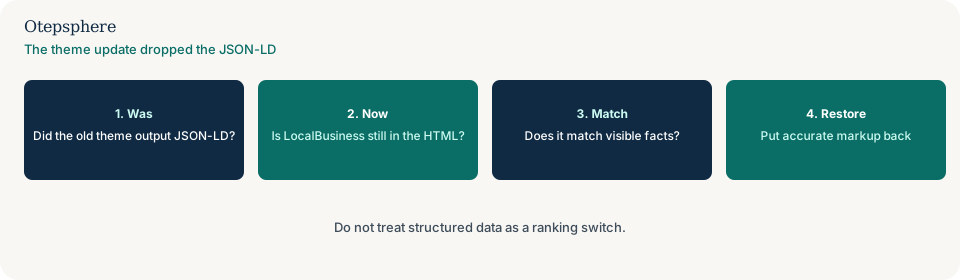
What do Google’s structured-data docs actually say?
Local-business structured data is optional markup that must match visible content and follow the structured-data policies. It is not described as a ranking switch.
Sources: Local business structured data and Structured data general guidelines. Do not add markup for a department or location that is not visible on the page. Do not treat restoring JSON-LD as a Maps ranking contract.
How do you put accurate markup back?
Output one LocalBusiness (or a documented subtype) block that repeats the visible name, address, phone and hours — in the child theme or a plugin you control, not only in the parent theme that just updated.
If titles and canonicals also reverted, you have a CMS overwrite job as well. Log the restore so the next person can see what shipped.
Schema-output decision table
| What you see | What it usually means | Decision | What not to assume |
|---|---|---|---|
| Theme update; no LocalBusiness in HTML | Template stopped outputting markup | Restore accurate JSON-LD that matches the page | That schema is a ranking switch |
| Markup names another brand | Wrong entity | Use the brand-search guide | That deleting all markup fixes entity mix-ups |
| Visible copy conflicts with the listing | Facts disagree | Use the content-conflicts guide | That JSON-LD overrides visible hours |
| Titles and robots also reverted | Wider CMS overwrite | Use the CMS-overwrite guide | That schema is the only field that moved |
What should I not do?
Action checklist
- View source or run a rich-results check on a location URL.
- Confirm whether a theme or plugin update shipped this week.
- Restore LocalBusiness markup that matches visible facts.
- Keep the output in a record that survives the next parent-theme update.
- If markup names the wrong entity, switch guides.
- If titles also reverted, switch to CMS overwrite.
When professional help makes sense
Help is useful when several plugins output overlapping LocalBusiness blocks. It cannot promise rich results or Maps rankings from restored markup.
Sources and further reading
- Google Search Central: Local business structured data
- Google Search Central: Structured data general guidelines
The theme update dropped LocalBusiness JSON-LD?
Otepsphere can restore markup that matches the visible page — without treating schema as a ranking switch.
Contact OtepspherePublished by Otepsphere
Published by Otepsphere, founded by Joseph Enmanuel. Learn about Otepsphere and its approach to local SEO.