What does “located inside” mean?
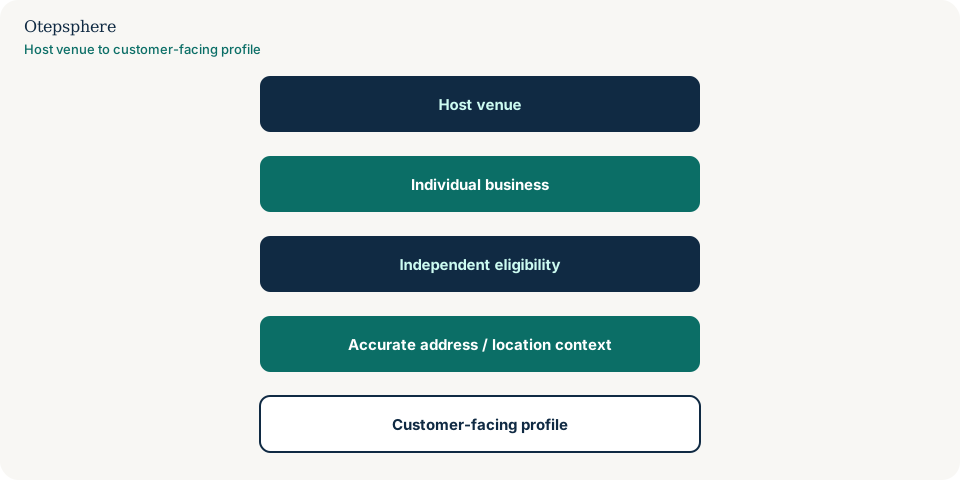
It means the customer-facing operation sits physically within a host property: a shop in a shopping centre, a concession, a salon in a department store, an independently operated cafe in another venue, or a clinic in a larger complex.
It is not merely sharing a street number with an unrelated neighbour, and it is not automatically a department of the host brand. Examples above only qualify if the business is real and eligible. Do not assume every kiosk, popup or unnamed concession meets Google’s guidelines.
Can Google show that my business is inside another business?
Yes. Google currently says that if your business is located in another business, like a store inside a shopping mall, you can request to have this information shown on the profile.
Enter a complete street address and include building, suite and floor numbers and other unit information that is part of the official address. Google may also show a location description based on category and location; that description is not owner-editable on Search or Maps. Source: Manage your business address.
Does my business still need to be independently eligible?
Yes. Being inside a popular venue does not replace Google’s eligibility rules for a Business Profile.
Create the profile for the actual real-world location of that business. Google currently lists co-located examples that should each have their own profile when they are distinct operations, such as a restaurant inside a hotel or a pharmacy inside a supermarket, with a different name for the second business. Departments of the same organisation follow department rules instead. Source: Guidelines for representing your business on Google.
Does it need signage?
Google currently says businesses showing their address on Google should maintain permanent fixed signage of their business name at the address. It does not publish a separate mall-kiosk exception in that sentence.
Food brands that are co-located each must have permanent separate signage, in Google’s current food-brand rules. Do not invent extra signage requirements beyond the current guidelines, and do not assume a shared mall directory board automatically satisfies “permanent fixed signage of their business name”. Source: Guidelines for representing your business on Google.
What if the host venue's reception handles customers?
Shared reception is a practical access fact. It does not turn a distinct tenant into the host’s listing, and it does not make an ineligible desk eligible.
If customers cannot tell which business they have reached, Google may treat the operation as part of the host or as a duplicate. Describe how people actually find you on the website. Shared-address neighbour cases are in two businesses at the same address. Host-operated departments are in Google Business Profile departments.
What if customers cannot access the business independently?
Limited access does not automatically disqualify a tenant, but the profile still has to represent a real customer-facing business at that place.
Google’s department guidelines currently say publicly facing departments typically have a separate customer entrance. An independent tenant inside a mall is not the same as a department, but if nobody can visit you as a business — for example a storage cage with no customer hours — do not create a storefront listing to rank in the centre. Appointment-only operations have their own hours rules.
Should I use the mall's phone number?
Generally no. The profile should represent the individual business, including a number that connects to that business.
Google currently requires a phone number that connects to the individual business location, prefers a local number over a central helpline whenever possible, and requires the number to be under the business’s direct control. A centre switchboard that cannot put callers through to you is a poor public number. Source: Guidelines for representing your business on Google.
What if several businesses use the same address?
Several tenants can share a street address when they are genuinely distinct, independently eligible businesses. That is the neighbour problem, not the host-and-tenant problem this page covers — though both can appear in one mall.
Use unit numbers that exist. Do not invent suite numbers to force a split. See two businesses at the same address.
What if Google marks us duplicate?
Follow the duplicate-listing process for the listing that should exist. Do not create another profile for the same tenant.
Evidence should show a distinct name and operation at that unit. Start with duplicate Google Business Profile.
What if the map pin is at the wrong entrance?
Adjust the pin to where customers actually find the business, using Google’s current pin-edit process, and keep the address fields accurate.
Mall pins often snap to a car park or a different door. That is a pin problem, diagnosed in a wrong Google Maps pin. Verification issues after an address or pin change belong with Business Profile verification failures.
Inside-a-Venue Eligibility Matrix
Inside-venue versus related listing types
| Situation | This page | Use instead |
|---|---|---|
| Shop inside a shopping centre | Yes — tenant inside a host venue | — |
| Two unrelated companies share a street number | No | Same-address article |
| Pharmacy branded as part of the supermarket | Often a department | Departments article |
| Desk in a coworking space used as a city address | No | Coworking eligibility guidance |
What not to assume
Do not assume every concession qualifies. Do not assume the host’s profile can list your category instead of you. Do not assume a located-in label is editable like a title tag. Do not assume a mall directory board is permanent business-name signage.
What not to do
Practical action plan
- Write the official address including unit, floor or kiosk identifiers that are real.
- Confirm the operation is independently eligible, not a nameless popup.
- Use a phone number that reaches this business.
- Request located-in display where Google’s address help currently allows it.
- Place the pin at the entrance customers use, then monitor duplicate flags.
When professional help makes sense
Help is useful when a tenant, host and several neighbours collide in Maps, or when verification fails at a mall address. It cannot create eligibility for a virtual desk.
Sources and further reading
- Manage your business address
- Guidelines for representing your business on Google
- Edit your Business Profile
Operating from inside a shopping centre or larger venue?
Otepsphere can review the business structure and Business Profile configuration before location information is changed.
Contact OtepspherePublished by Otepsphere
Published by Otepsphere, founded by Joseph Enmanuel. Learn about Otepsphere and its approach to local SEO.