What happens without a redirect plan?
Customers and crawlers who still have the old location URL meet a 404, and any link or bookmark to that path stops reaching the equivalent page.
Typical pattern: a CMS slug change or folder rename ships on Friday; Saturday the old /locations/… path is gone; nobody mapped old to new. The job is release planning, not waiting months to notice 404s in a backlink report.
Is this leftover 404s with backlinks?
That guide is the cleanup after old paths have already sat as 404s and collected links.
Use what to do when old local URLs still attract backlinks as 404s when the change is already aged. Stay here when developers are about to change paths, or just did, with no map.
Is this a redirect-chain cleanup?
No. Chains are too many hops on a path that already redirects.
Diagnose hops on why redirect chains hurt Local SEO. Stay here when the old path has no redirect at all.
Map
List every old location and service URL Export the crawl before anyone renames folders.Pair
Name the new equivalent page Homepage dumps waste the visitor and the link.301
Ship redirects before go-live Google’s site-move guidance expects a mapped move.Sibling
Old 404s with links are different Use the leftover-404 guide if the change already aged.Next
Do not treat a missing 301 as a tactic Check the old path after release.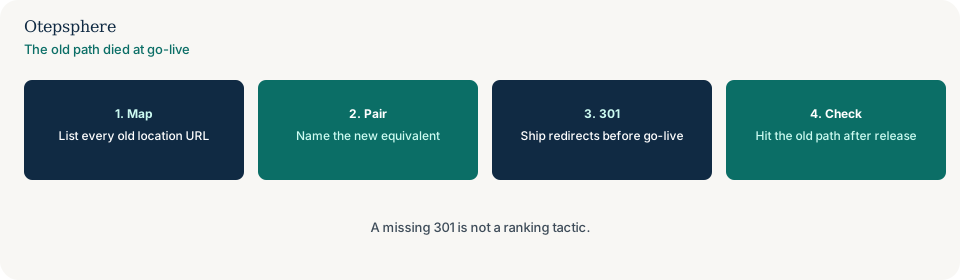
What does Google ask for on a URL change?
Map old URLs to new equivalents and use server-side permanent redirects. Homepage dumps are not a mapped move.
Sources: Redirects and Google Search and Site moves with URL changes. Neither document treats a missing 301 as a ranking tactic. Do not promise that adding redirects will restore previous rankings.
What should the release contain?
The new paths, the 301 map, and a post-release check that each old location URL lands on the equivalent page — one hop where you can manage it.
If the new nav also dropped inlinks to those URLs, add the deploy-lost-links job. Log both in the website change log.
URL-change decision table
| What you see | What it usually means | Decision | What not to assume |
|---|---|---|---|
| Slug changed; old path 404s | No redirect plan | Map old to equivalent; ship 301s | That a missing 301 is a ranking tactic |
| Old 404s already have backlinks | Aged leftover paths | Use the leftover-404 guide | That this process page is the cleanup archive |
| A→B→C already redirects | A chain | Use the redirect-chains guide | That adding another hop fixes the plan |
| Every old city URL hits the homepage | A dump, not a map | Pair each old path with its equivalent page | That the homepage is “good enough” |
What should I not do?
Action checklist
- Export old location and service URLs before the path change.
- Pair each with the new equivalent page.
- Ship 301s in the same release as the rename.
- Hit the old paths after go-live.
- If 404s already aged with links, switch guides.
- If hops already stack, switch to redirect chains.
When professional help makes sense
Help is useful when a CMS rename affects hundreds of location slugs. It cannot promise recovered rankings from a late redirect map.
Sources and further reading
- Google Search Central: Redirects and Google Search
- Google Search Central: Site moves with URL changes
Location paths changed and the old URLs 404?
Otepsphere can map old location URLs to equivalents before or after go-live — without treating a 301 as a ranking tactic.
Contact OtepspherePublished by Otepsphere
Published by Otepsphere, founded by Joseph Enmanuel. Learn about Otepsphere and its approach to local SEO.