What happens to GBP when a business is sold?
When the same eligible business continues after a sale, the existing Google Business Profile continues as the public listing. Control of that listing is a matter of user access, not a new pin.
Google’s transfer help says that if you want to transfer ownership of your business, you should transfer primary ownership of the Business Profile to the new owner so business information, like reviews, is maintained. The representation guidelines also note that if you assume ownership of a Business Profile, the previous owner first needs to add you as an owner and transfer ownership to you. Sources: Transfer primary ownership of a Business Profile and Guidelines for representing your business on Google.
A sale of assets that retires the old business and starts a different one is a different fact pattern. Do not treat every share purchase as a new Maps identity, and do not treat every asset purchase as a reason to keep a listing for a company that no longer exists. Combining two already-operating local businesses is a merger migration, not an ownership transfer of one shop — see how to merge two local businesses without losing search visibility. A new unrelated tenant at the same address should not inherit the old listing; see whether you can reuse an old Google Business Profile for a new business.
Should the seller delete the profile?
No. The seller should not delete the Business Profile of a continuing business in order to “hand over a clean listing.”
Deleting and recreating can split reviews, create a duplicate, and force a new verification. Transferring primary ownership is the path Google documents for keeping the existing information. Closing the profile as permanently closed is for a business that has stopped, not for a change of owner.
What happens to reviews?
Reviews stay with the Business Profile when primary ownership is transferred. Google’s current wording is that transferring primary ownership maintains business information, like reviews.
Reviews are not a personal asset of the seller’s Gmail account. They are attached to the listing. Creating a replacement profile does not move them. Merging two profiles for the same business can combine reviews, but Google says replies may be lost — that merge path is for duplicates of the same business, not a routine sale. Source: Transfer primary ownership of a Business Profile.
How do you transfer primary ownership?
The current primary owner adds the buyer’s Google Account, then transfers the primary owner role to that user after the account can accept it.
Google’s current steps are: open the Business Profile, go to Business Profile settings, then People and access, select the user, edit Access, and choose Primary owner. Only owners can change access roles, and only the primary owner can transfer primary ownership. Managers cannot complete that transfer. You cannot add Google Groups as owners or managers. Source: Transfer primary ownership of a Business Profile.
If the seller has already left and nobody can access the listing, that is an ownership-recovery problem, not a reason to publish a second profile. Use Google’s current request-ownership process instead of starting again.
Is there a waiting period for a new owner?
Yes. Google currently says a new owner or manager must wait seven days before they can manage all features.
During those seven days they might get an error if they try to delete or undelete a profile, remove other owners or managers, or make themselves or someone else the primary owner. If the new owner or manager leaves the business within the first seven days, Google says they will be removed from the profile and must be added again if they change their mind. Build this delay into the completion timetable. Do not plan a same-day invite, transfer, and seller removal. The operational detail of that wait is why a new owner cannot remove users or transfer ownership yet. Source: Transfer primary ownership of a Business Profile.
What happens to former owners and managers?
Former owners and managers keep access until someone with permission removes them, which a newly added user cannot do during the first seven days.
After the limitation period, the new primary owner should remove people who no longer represent the business, including the seller, former staff and former agencies. Managers can remove themselves. Only owners can add or remove other users. Leaving the seller on the listing after completion is an operational risk, not a Google ranking tactic.
What if the buyer is changing the business name?
If the buyer is changing the public name, treat that as a rebrand decision on the existing profile — not as a reason to delete it first.
Google distinguishes a name change that can stay on the existing profile from a change it treats as a new business. The working sequence is transfer ownership, then follow the current rebrand rules. Detail is in how a business can rebrand without losing Local SEO visibility.
What if the business moves after acquisition?
If the business relocates, update the existing Business Profile with the new address. Do not create a new profile for the new location.
Google states that relocation rule on its duplicate-help page. A sale plus a move is still one business changing address, unless the old site remains a separate eligible location. The move sequence is in how to move a business without losing Local SEO visibility. Source: Resolve duplicate profiles and ownership issues.
What happens to the website?
The website does not transfer automatically with the Business Profile. Domain, hosting and measurement access are separate operational assets the sale contract should name.
These are Local SEO and operations recommendations, not Google ranking requirements:
- Domain ownership: registrar login, DNS, expiry, and who the registrant will be after completion.
- Hosting and CMS: who can publish, backups, and staging.
- Search Console: property ownership so the buyer can inspect indexing after the handover.
- GA4: property access, data-retention settings, and whether a new property is actually needed.
- GTM: container access so tags are not stranded on a seller’s account.
- Forms: destination inboxes, spam filters, and CRM routing.
- Email: addresses published on the site and profile.
- Call tracking: numbers on the website versus the profile; do not swap the GBP number without checking current phone rules.
- Citations: who can update high-impact listings after the name or phone changes.
- Social accounts: logins for profiles the site and customers already use.
Google does not require GA4 or GTM for a Business Profile. Losing them still blinds the buyer. Measurement context is in how to measure Local SEO.
Business Acquisition Local SEO Handover Checklist
Listing
Google Business Profile Transfer primary ownership. Do not delete and recreate.Site
Website and domain Confirm registrar, hosting, CMS and who can publish.Measurement
Analytics and Search Console Move property access. Keep history where possible.Reputation
Reviews Reviews stay with the transferred profile.Identity
Citations, phone, social Update ownership of the public facts customers already use.Operations
Forms and call tracking Confirm leads still arrive after the handover.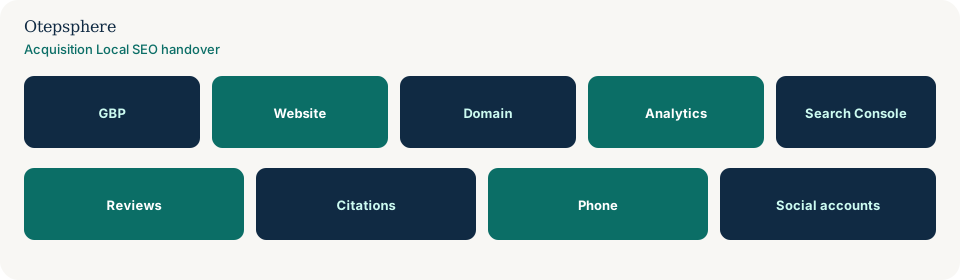
| Asset | What to confirm | Common failure |
|---|---|---|
| GBP | Primary owner transferred; extra users removed after seven days | Seller deletes the listing or the buyer creates a second one |
| Website | CMS, theme, forms and SSL still work on completion day | Site sits on a contractor account nobody can access |
| Domain | Registrar transfer or ownership change is scheduled | Domain expires on the seller’s card |
| Analytics | GA4 property access for the buyer | History left behind on a personal login |
| Search Console | Verified owner on the correct property | Only a seller email remains verified |
| Reviews | Stay on the transferred profile | Replacement listing starts at zero |
| Citations | Priority listings match the surviving name, phone and URL | Old owner’s mobile number remains public |
| Phone | Published number still reaches the business | Seller’s mobile or disconnected line |
| Social accounts | Admin roles moved | Brand pages stranded on a former employee |
What not to assume
Do not assume the listing, reviews, domain or analytics move because the sale contract mentioned “the website.” Do not assume Google will transfer primary ownership without the current primary owner. Do not assume a seven- day wait can be skipped. Do not assume a name change is always a new business, or never a new business — use Google’s current rebrand criteria.
What not to do
Practical action plan
- Record the public Maps URL, review count, name, address, phone and website before completion.
- Add the buyer’s Google Account as an owner while the seller can still sign in.
- Wait the documented seven days, then transfer primary ownership.
- Confirm the buyer can open the same public listing, then remove former users.
- Hand over domain, website, Search Console, GA4, GTM, forms, email, citations and social logins.
- If name or address will change, do that on the surviving profile using the rebrand or move guides.
When professional help makes sense
Help is useful when access is split across an agency, a former employee and a seller who has already left, or when the deal also includes a rebrand and a move. Nobody can guarantee that Google will complete a transfer or preserve every historical metric.
Sources and further reading
- Google Business Profile Help: Transfer primary ownership of a Business Profile
- Google Business Profile Help: Guidelines for representing your business on Google
- Google Business Profile Help: Resolve duplicate profiles and ownership issues
Buying or selling a local business?
Otepsphere can review the digital handover so important search, Business Profile and measurement assets are not accidentally lost during the ownership change.
Contact OtepspherePublished by Otepsphere
Published by Otepsphere, founded by Joseph Enmanuel. Learn about Otepsphere and its approach to local SEO.