What does desktop-fast, mobile-slow mean?
It means the location or service URL feels usable on a wired computer and stalls on a phone — often the device local customers actually use.
Typical pattern: a large hero, an uncached location template, or a map and chat stack that a desktop cache hides. The job is the mobile path on that URL, not a missing index status.
Is this an indexing problem?
No. Indexing is whether Search fetched and stored the URL. A slow phone can still be indexed.
If the service or location URL is absent from Search, start with why a local service page is not indexed or why a location page is indexed but not ranking. Stay here when the URL loads and the phone is the problem.
What does Google say about page experience?
Google treats page experience, including Core Web Vitals, as one part of how pages feel — not as a single ranking switch and not as a lead promise.
Source: Understanding page experience in Google Search results and Understanding Core Web Vitals and Google Search results. Helpful content still comes first. Source: Creating helpful, reliable, people-first content.
Device
Measure the live location URL on a phone A wired desktop can hide a heavy mobile hero or an uncached template.LCP
What paints largest on a small screen? Google’s page-experience docs treat Core Web Vitals as one part of experience, not a single ranking switch.Third-party
What loads only or more on mobile? A map embed, chat widget or tag manager can stall a weaker connection.Sibling
Not indexed is a different job Use the indexation guides if Search never fetched the URL.Next
Fix the mobile path; do not promise ranks A better LCP can help people stay. It does not guarantee Maps position.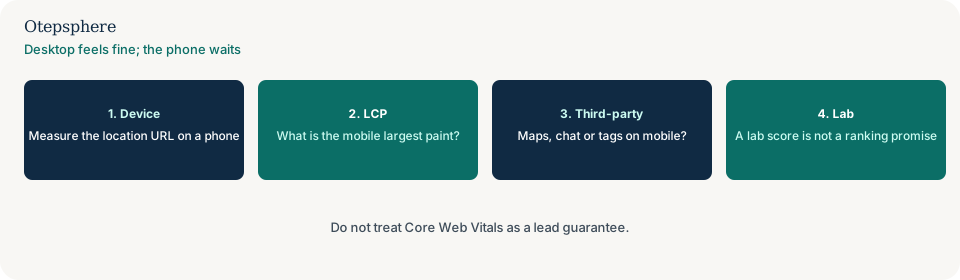
What usually differs on a phone?
A heavier LCP image, a map iframe, third-party tags, or a location template that hydrates more JavaScript on a weaker connection.
Desktop “fast” often means a warm cache and a wide viewport. Mobile local search is the opposite. Fix the assets that paint largest on a small screen before arguing about Maps position.
How should you measure it?
Use field data for that URL where you have it, and a phone test on the live location page — not only a lab run of the homepage.
web.dev’s Web Vitals overview is the metric definition. Source: Web Vitals. A green lab screenshot is a diagnostic. It is not proof of rankings or calls.
Mobile-speed decision table
| What you see | What it usually means | Decision | What not to assume |
|---|---|---|---|
| Desktop LCP fine; phone waits on a hero | Mobile image or template weight | Serve a smaller mobile LCP asset | That a lab homepage score is this URL |
| Map or chat stalls the phone | Third-party on a weak connection | Defer or lighten the embed on mobile | That removing the map will raise Maps rank |
| URL not in Search at all | Indexation | Use the not-indexed guides | That this speed page will get it crawled |
| Green lab, angry customers on 4G | Lab is not the field | Measure the live location URL on a phone | That Core Web Vitals guarantee leads |
What should I not do?
Action checklist
- Open the live location URL on a phone and time the first usable paint.
- Identify the mobile LCP element on that URL.
- Defer or lighten map, chat and tag-manager work on small screens.
- If the URL is not indexed, switch guides.
- Keep hours and a usable number — do not delete them for a score.
- Do not promise Maps position from a greener vital.
When professional help makes sense
Help is useful when a location template and a third-party stack fight each other on mobile. It cannot turn a lab score into a ranking contract, and it cannot promise more calls from a faster LCP.
Sources and further reading
- Google Search Central: Understanding page experience in Google Search results
- Google Search Central: Understanding Core Web Vitals and Google Search results
- web.dev: Web Vitals
Location URLs still stalling on a phone?
Otepsphere can measure the live mobile path — without treating Core Web Vitals as a ranking or lead promise.
Contact OtepspherePublished by Otepsphere
Published by Otepsphere, founded by Joseph Enmanuel. Learn about Otepsphere and its approach to local SEO.