Can two people standing together see different Maps results?
Potentially yes. Even similar coordinates do not guarantee the same list when accounts, history and context differ.
Google currently says signed-in Maps searches can include more detailed results, places you have searched for before, and places relevant to you. Local results still use relevance, distance and prominence. Personalisation sits on top of that location context; it does not replace it. If the two phones are 80 metres apart, start with why Maps rankings change by location — that article is about coordinates. This article is about different users. Source: Search locations on Google Maps and Tips to improve your local ranking on Google.
Does Google personalize Maps?
Yes, when you are signed in and personalisation settings allow it. Google currently documents personalised places in Maps.
Google Maps Help currently says searches may include places relevant to you, and lists examples from within Maps: interactions with places on the map; recent searches, including searches for directions; places you have saved or starred; places you have rated or reviewed; and home and work addresses if you set them. It also says search results include places you have searched for before if Search Services History is on, and that if you are signed in but do not get personalised results you should turn on Personalized Recommendations. Source: Search locations on Google Maps.
Search services settings are changing. Google currently notes that history and personalised recommendations for Search, Maps and related products are rolling into Search Services History and Personalized Recommendations, while some accounts still use Web & App Activity. Treat the Maps help list above as the place-level documentation, and the account settings pages as the current control surface. Source: Manage Personalized Recommendations in Search services and Search Services History and Personalized Recommendations.
Does personalization mean rank tracking is useless?
No. Rank tracking provides standardised comparative measurement rather than reproducing every individual’s personalised experience.
A grid that always uses the same query, coordinates and settings can show whether geographic coverage improved or worsened. It will not match a manager who eats at the competitor every week and has that place saved. That gap is expected. How to run the measurement is in how to track Google Maps rankings and tracking local rankings over time. Tool-versus-phone disagreements are a method mismatch, not proof that either source is lying.
Why shouldn't I use my own phone as the only ranking test?
Your phone is a biased sample. It carries your account, your commute, your saved places and your recent searches.
Owners often search their own brand, tap their own listing, save it, and then conclude they “rank #1”. Customers do not have that history. One device also tends to sit at the office or home, which is the location problem again. Use the phone as a customer-experience check, not as the KPI.
Does Incognito show the “true ranking”?
No. There is not one universal true ranking. Incognito reduces some signed-in personalisation; it does not freeze location, and it does not make Search and Maps identical.
Google currently says that if you are not signed in, it may still store some location information from previous searches on that device, and that turning off Search customisation stops using previous searches to estimate location. Incognito is a different context, not a published official rank. Source: Understand and manage your location when you search on Google.
Why do team members report different positions?
They usually mixed location, account history, app versus Search, and query wording, then compared screenshots as if they were one test.
Ask each person for the query, map centre or GPS reading, signed-in state, and timestamp. If two salespeople checked from different suburbs, you do not have a personalisation mystery. If they checked from the same cafe Wi‑Fi on two accounts, personalisation and history are in play. Grid settings that quietly changed between reports are another source of false disagreement, covered in geo-grid settings that changed.
How should businesses establish a baseline?
Use a consistent query, a consistent measurement location or grid, consistent tool settings, and repeated tracking over time.
Write the query exactly. Choose customer-relevant coordinates, not only the shop. Keep radius and grid size still when you compare months. Review the series, not a single Monday screenshot. That is standardised measurement. It is still not every user’s phone.
Personalised vs Standardised Measurement
Person
Individual user Location, context and history, including previous places, searches, saves, reviews, home and work.Measurement
Rank tracking Fixed query, coordinates and settings, repeated so changes can be compared.Output
Personal search result Useful for that signed-in person. A biased sample for strategy.Output
Standardised measurement Not every individual’s view. A comparable geographic baseline.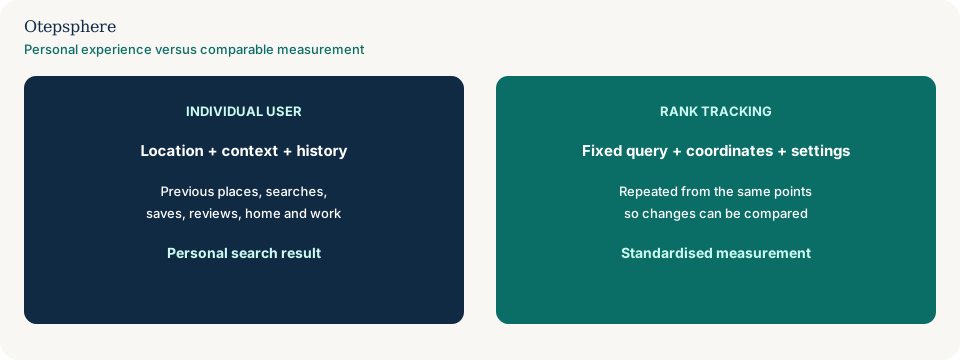
User-versus-user diagnostic table
| If this differs | You are probably seeing | Fix the comparison with |
|---|---|---|
| Coordinates or map centre | Location variation | The rankings-change-by-location article and a grid |
| Google Account history, saves, reviews | Personalisation | This article; stop using one phone as truth |
| Tracker versus a phone screenshot | Method mismatch | Rank tracker versus Google results |
| Query wording or Search versus Maps | Different surfaces or queries | Maps versus local pack; city versus near me |
What not to assume
Do not assume two people in one building share one ranking. Do not assume signed-out equals unpersonalised location. Do not assume a tracker is broken because it disagrees with the owner’s phone. Do not assume there is a single true Maps rank Google will show everyone.
What not to do
Practical action plan
- Collect query, coordinates, account state and timestamp from each conflicting screenshot.
- Separate location differences from account-history differences.
- Put a standardised grid or multi-point tracker in place for the same query.
- Use personal phones only as customer-experience examples.
- Compare like-for-like weeks, not one-off checks after someone navigated to the listing.
When professional help makes sense
Help is useful when leadership is making strategy from contradictory staff screenshots, or when a tracker and phones cannot be reconciled. It cannot make every customer see the same list.
Sources and further reading
- Google Maps Help: Search locations on Google Maps
- Manage Personalized Recommendations in Search services
- Search Services History and Personalized Recommendations
- Understand and manage your location when you search on Google
- Tips to improve your local ranking on Google
Different staff or customers reporting different Maps rankings?
Otepsphere can establish a consistent geographic measurement framework so strategy isn't based on isolated manual searches.
Contact OtepspherePublished by Otepsphere
Published by Otepsphere, founded by Joseph Enmanuel. Learn about Otepsphere and its approach to local SEO.