Can every Business Profile add social media links?
No. Not every Business Profile can add social media links.
Google currently states that social media links are available in select regions and may not be available on a given Business Profile. The same limit appears in the general edit-profile help article. If the Social profiles control is absent, the first diagnosis is feature availability, not a broken Instagram URL. Sources: Manage your social media links and Edit your Business Profile.
Which social networks are currently supported?
Google currently documents one link per platform for Facebook, Instagram, LinkedIn, Pinterest, TikTok, X (formerly Twitter) and YouTube.
Each platform has a required URL shape. LinkedIn accepts a personal /in/ or company
/company/ path. YouTube accepts a channel, user or @ handle URL. X is still documented
with a twitter.com host. Paste the live profile address from a browser after the page loads. Source:
Manage your social media links.
| Platform | Google’s current URL pattern |
|---|---|
https://www.facebook.com/{username} | |
https://www.instagram.com/{username} | |
https://www.linkedin.com/in/{username} or /company/{username} | |
https://www.pinterest.com/{username} | |
| TikTok | https://www.tiktok.com/{username} |
| X | https://www.twitter.com/{username} |
| YouTube | /channel/, /user/ or /@{username} on youtube.com |
Why is the Social Profiles option missing?
The Social profiles option is missing when the feature is not available for that profile, region or user, or when you are looking in the wrong part of the editor.
Google currently places the editor under Edit profile → Contact, next to Social profiles. Website, booking, order and menu URLs are different fields with different rules. A restaurant that cannot add TikTok may still be able to add a menu link. If those action links fail, use why a Business Profile website or booking link is missing rather than this article.
Why was my link rejected?
A social link can be rejected or fail to save when the URL is broken, duplicated, invalid or pointing to an unsupported platform.
That is Google’s current wording. Typical owner mistakes include a shortened link, a story or reel URL, a personal profile used instead of the business page, a second YouTube channel when one is already saved, or a platform Google does not list. Wait for ordinary edit review as well: profile changes usually take about 10 minutes and can take up to 30 days. Source: Manage your social media links. Pending edits in general are covered in why Business Profile edits are pending or not approved.
Why did Google add a social account I did not add?
Google can show social media links automatically on some Business Profiles when the listing meets Google’s sourcing requirements.
The social-links help article currently says some profiles may show social media links automatically, and points to how Google sources and uses information in Business Profiles and local search results. That is not the same as an owner save. It also does not mean every Facebook page with a similar name will be attached. Treat an unexpected icon as a sourcing question: confirm whether the URL is actually yours, then replace or request removal. Source: Manage your social media links. Broader name and listing confusion is covered in why business information differs across Google and the web.
Can I remove an automatically added social link?
You can replace an automatically added social link with a different URL for that platform. If you still want it removed, Google currently tells you to contact support.
Owner-added links can be deleted from Edit profile → Contact → Social profiles. Automatic links are treated differently: Google’s current tip is to check whether you want to replace the URL, and to contact Google if you still want it gone. Source: Manage your social media links.
Does sameAs schema force social icons to appear?
No. Structured data can clarify entity relationships but does not guarantee a Business Profile social-link feature.
sameAs on Organization or LocalBusiness markup can help search systems associate official profiles
with the organisation. Google’s Business Profile social icons are a profile feature with region limits, URL
rules and optional automatic sourcing. Putting Instagram in schema, the website footer and a Knowledge Panel
does not force the Maps listing to show the icon. See
entity SEO for local businesses
for how public identity should stay consistent without treating markup as a display switch.
Can I see social-link click data?
No. Google currently does not provide performance metrics or click tracking for social media links.
That limitation is stated in the social-links help article. Website clicks, calls and directions still appear in Business Profile performance where those actions exist. Do not invent a social-click column in a monthly report. Source: Manage your social media links. How those other metrics relate to Analytics is a separate problem: why GBP, GA4 and Search Console numbers do not match.
How do multi-location businesses handle social links?
Multi-location businesses can reuse the same social URL across several Business Profiles, and can update social links across profiles with the Business Profile APIs.
Google currently documents that if you manage multiple profiles, you can use the same social media link on more than one listing. That is useful for a brand-level Instagram. It is not a requirement to copy one URL onto every franchise if each branch has a local page. Linked social profiles may also surface posts about events, deals or special offers in select regions and languages. Source: Manage your social media links.
1. Availability
Is the social-profiles feature on this listing? Google currently says social media links are available in select regions and may not appear for every profile.2. Format
Does the URL match the platform format? Broken, duplicated, invalid or unsupported URLs can fail to save.3. Limit
Is there already one link for that platform? Google allows one Facebook, one Instagram, one YouTube, and so on — not two of the same.4. Source
Did Google add a profile you did not enter? Some listings can show automatically sourced social links. You can replace them, or contact Google to remove them.5. Display
Was the link accepted but not shown yet? sameAs schema does not force icons onto a Business Profile. Google also does not currently report social-link clicks.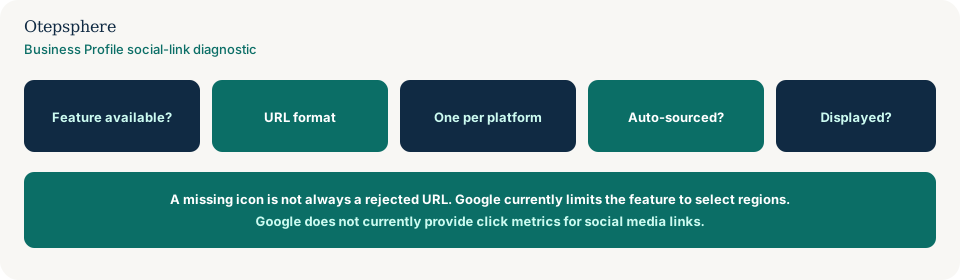
Social Profile Troubleshooting Checklist
- Confirm Social profiles appears under Contact. If it does not, treat this as a region or feature limit.
- Paste a full https URL that matches Google’s current format table for that platform.
- Use one link per platform. Do not try to save a second YouTube or Instagram URL.
- Open the public listing signed out and note which icons customers actually see.
- If Google attached a different account, replace the URL or contact Google to remove it.
- Do not expect sameAs schema or a website footer to create the icons.
- Do not report social-link clicks. Google currently does not provide that metric.
- For chains, decide whether each location should use the brand profile or a local profile.
What not to assume
Do not assume a missing icon is a Maps ranking penalty. Do not assume every country has the feature. Do not assume Google will count Instagram taps in Performance. Do not assume a competitor’s icons mean your category is eligible in your region.
What not to do
Practical action plan
- Open the public listing and screenshot which social icons, if any, appear.
- In the editor, check whether Social profiles exists. If it does not, stop treating this as a URL bug.
- Copy each live profile URL from the browser and match it to Google’s format table.
- Save one URL per supported platform. Wait for ordinary edit review.
- If Google sourced the wrong account, replace it or contact Google to remove it.
- Align the same official profiles on the website without expecting schema to drive the icons. See Google Business Profile optimisation.
When professional help makes sense
Help is useful when several locations show different social accounts, when automatic sourcing attached a former owner’s page, or when the website, Knowledge Panel and Business Profile disagree about which profiles are official. It cannot guarantee Google will display a social icon in a region where the feature is unavailable.
Sources and further reading
- Google Business Profile Help: Manage your social media links
- Google Business Profile Help: Edit your Business Profile
- Google Search Central: Local business structured data
Social profiles missing or showing incorrectly on Google?
Otepsphere can review your Business Profile, website and public business-entity information to identify where the social-profile relationship may be unclear.
Contact OtepspherePublished by Otepsphere
Published by Otepsphere, founded by Joseph Enmanuel. Learn about Otepsphere and its approach to local SEO.